Everything Countstruct does, on one page
Not just calculators. Countstruct turns your estimates into the paperwork of a build: a bill of quantities by trade as PDF or Excel, one bill of materials to buy from, a Google Sheet your team can open, and a BoQ for bidders with their quotes compared. Free for students and house owners; Business for architects, engineers and contractors.
51 construction calculators
Free
Pick a job, type its size, and Countstruct shows every material to buy and what it costs at your prices: hollow blocks, concrete, rebar, roofing, tiles, paint, ceiling, electrical, plumbing and more, from footings to faucets. Each result shows how it was worked out, and every calculator works in English or Filipino.
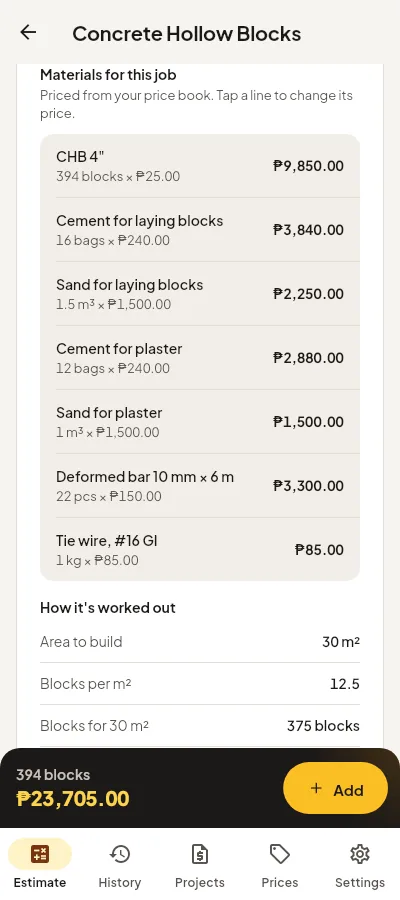
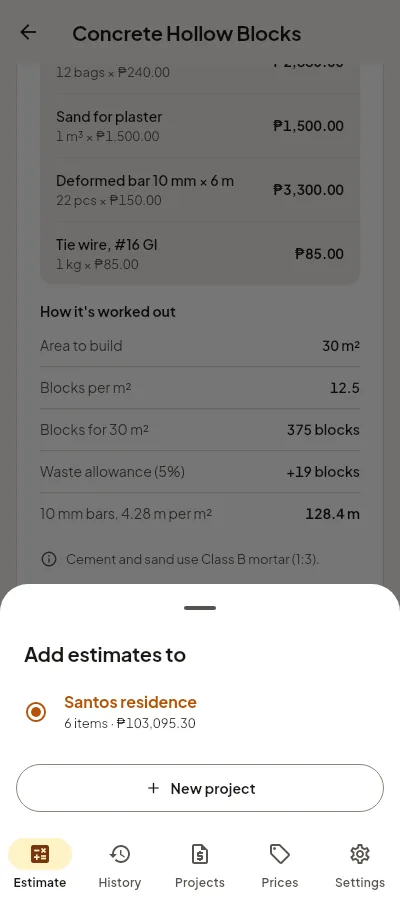
- Choose a calculator
Estimate tab: search or pick from the trades.
- Type the size
Area, length or count, and the options you need.
- Add it to a project
One tap puts the job in a project, ready for the BoQ.
Bill of quantities by trade
Free
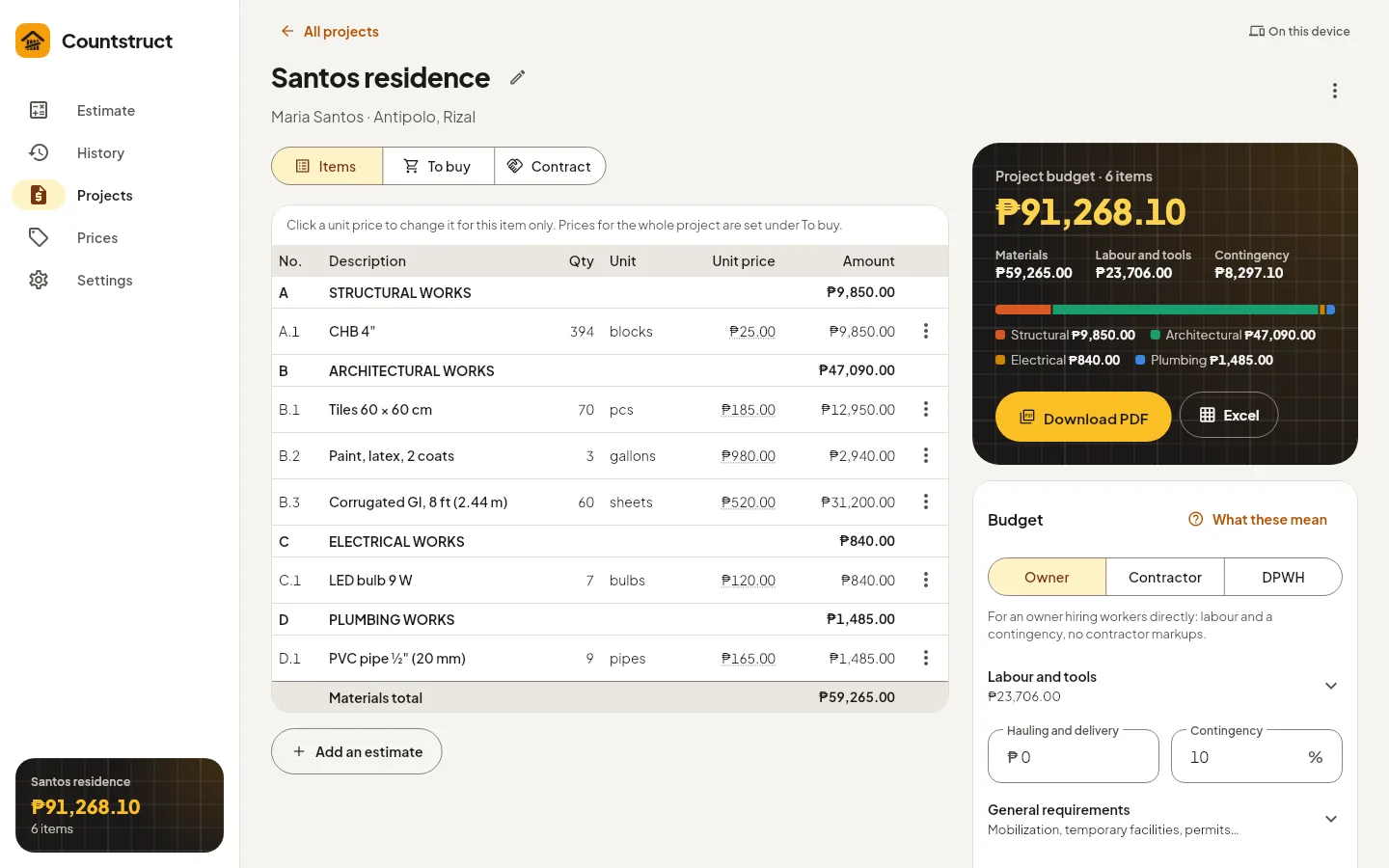
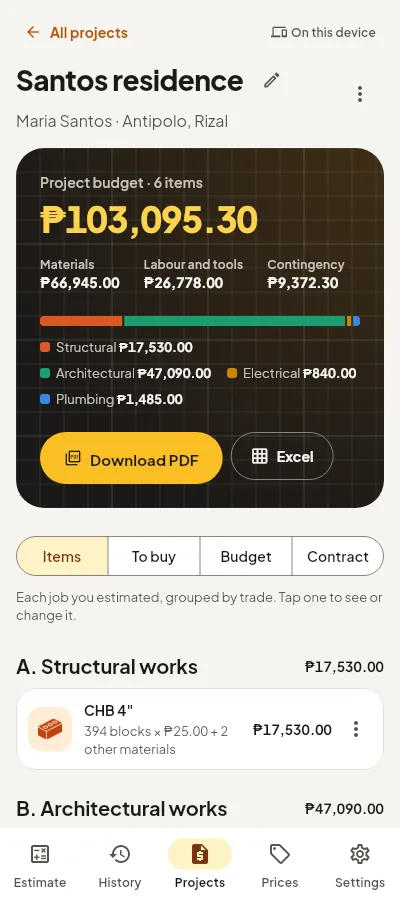
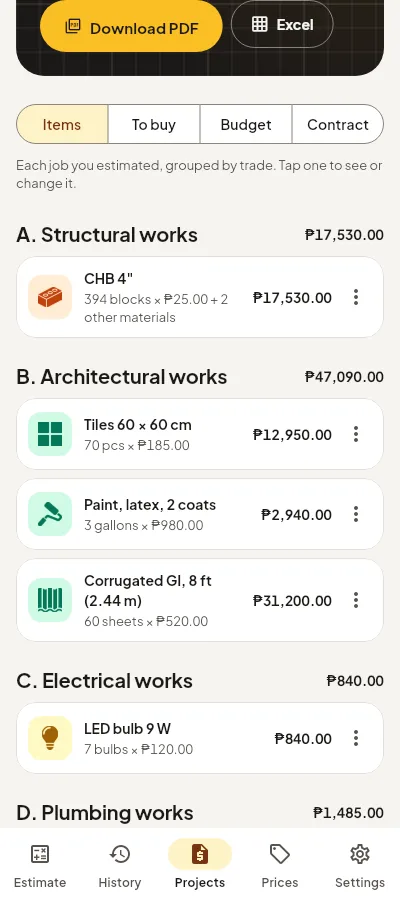
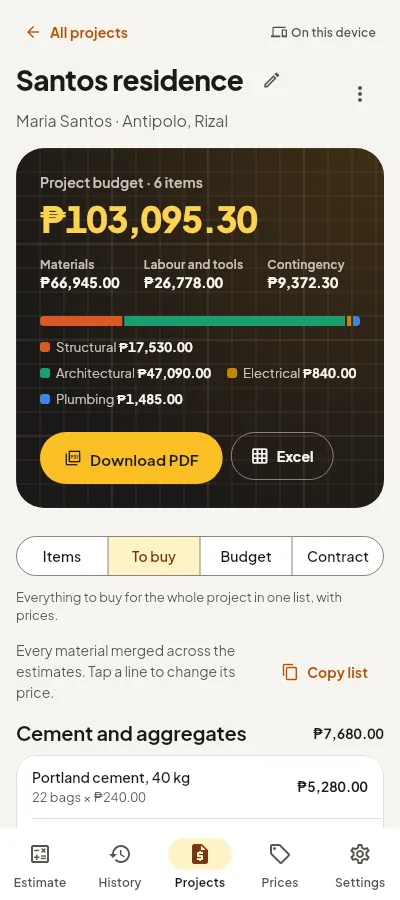
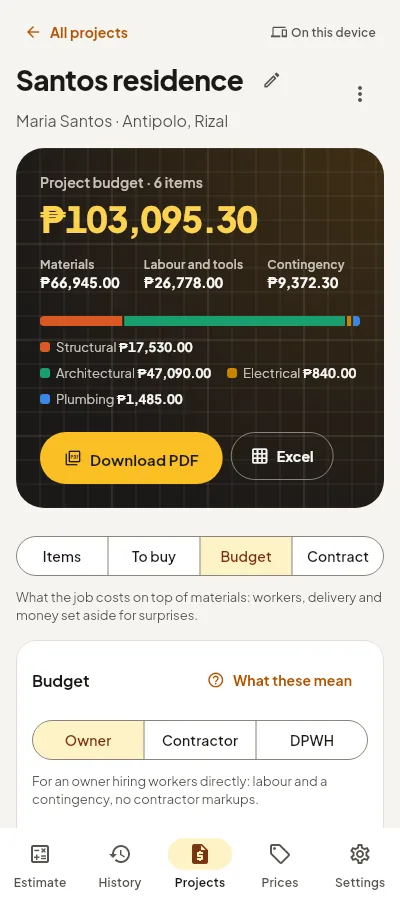
Every estimate you add to a project goes into a bill of quantities, grouped the way Philippine BoQs are: A. Structural, B. Architectural, C. Electrical and D. Plumbing works. The project budget shows materials, labour and tools, contingency and the total, split by trade.
- Make a project
Name it and add the client and location.
- Add estimates
From any calculator, or from the room schedule.
- Check the Items tab
Each job by trade; tap one to change it.
BoQ as a PDF
Free
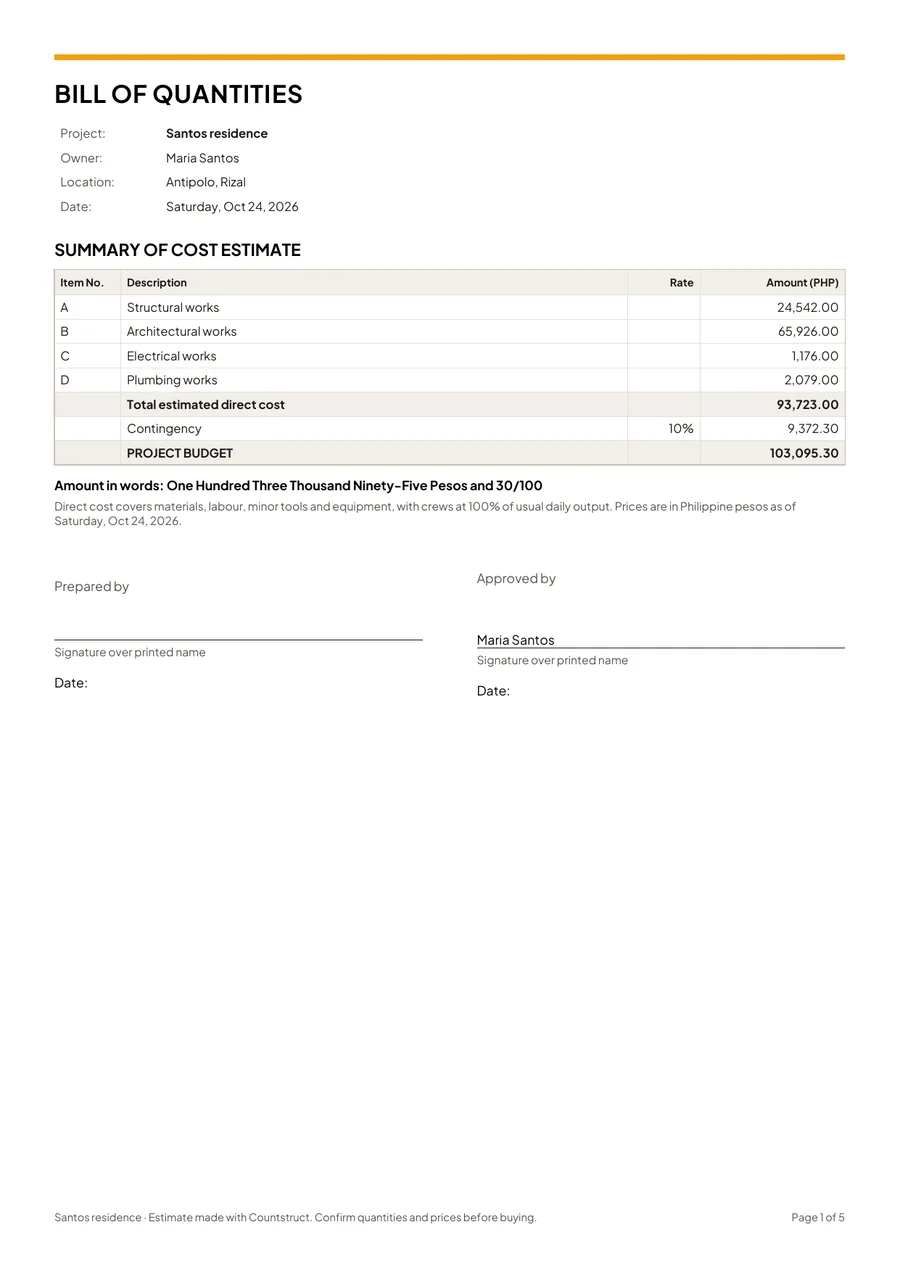
Download PDF makes an A4 document with the project, client, location and date, the summary of cost estimate, the bill of quantities and the materials to buy, with signature lines. Print it or attach it to a message.
- Open the project
- Tap Download PDF
Above the bill of quantities.
- Send or print it
It is an ordinary PDF.
Bill of materials (To buy list)
Free
The To buy tab merges every material in the project into one list, so 3 walls and a slab become one line of cement, one of sand, one of blocks. Copy it as text and send it to your supplier, or take it to the hardware store.
- Open the To buy tab
In any project.
- Check the quantities
Every material, merged across all the jobs.
- Copy as text
Paste it in a chat with your supplier.
Excel and Google Sheets
Business
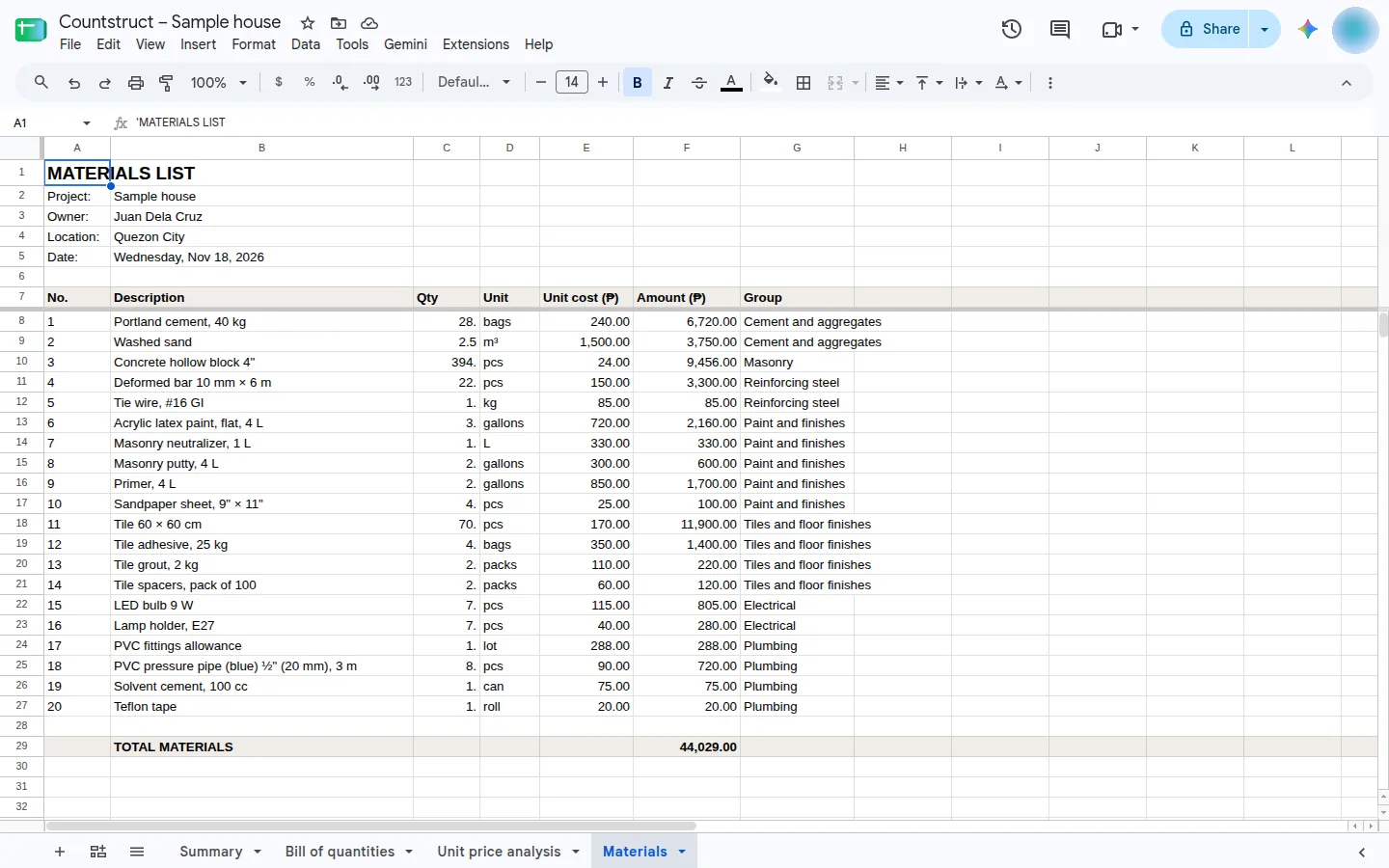
Download the project as an Excel workbook with four sheets: summary of cost estimate, bill of quantities, unit price analysis and materials. Or save it to Google Sheets in your own Drive, share the link, and update the same spreadsheet in one tap after the estimate changes. CSV is there too.
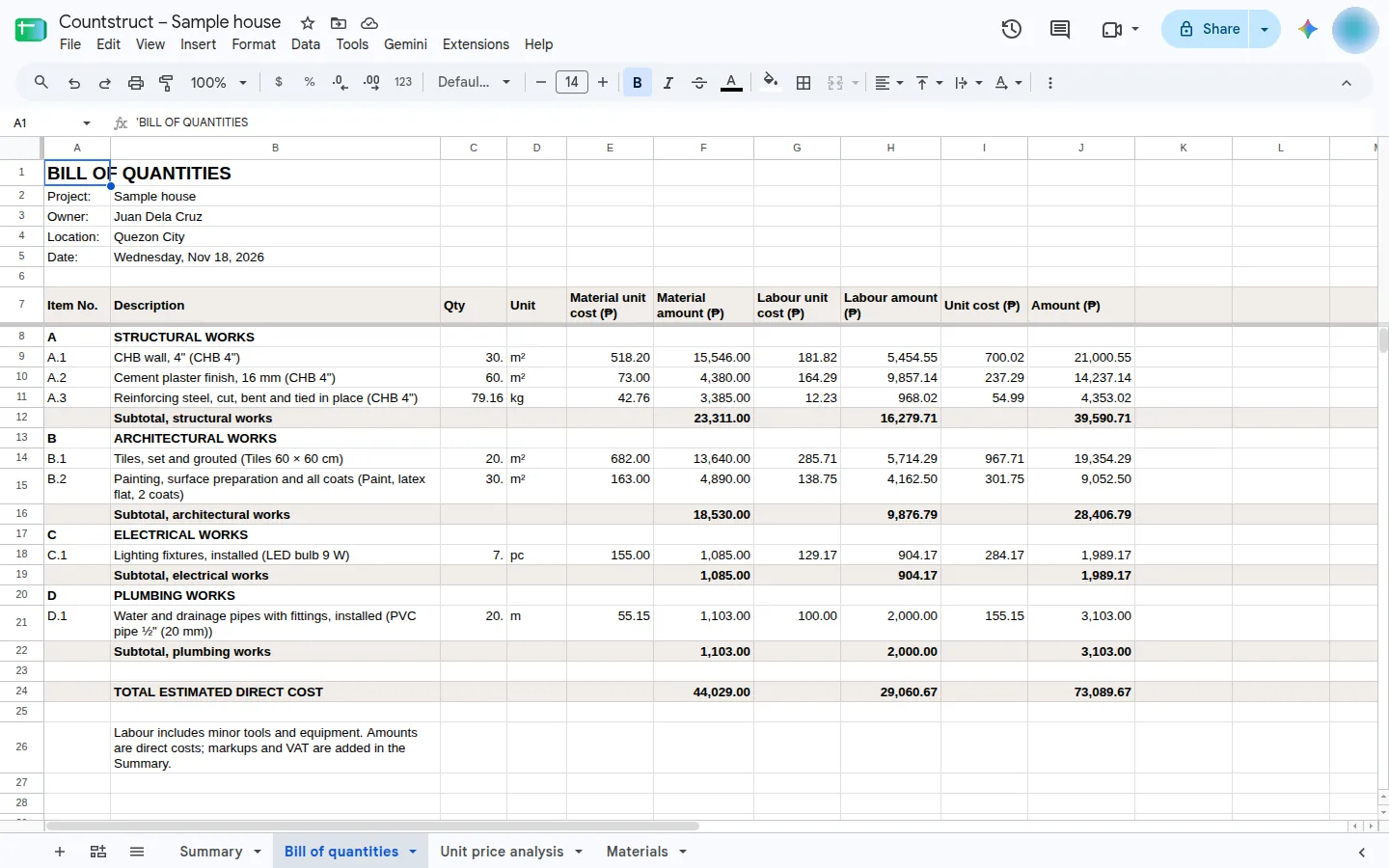
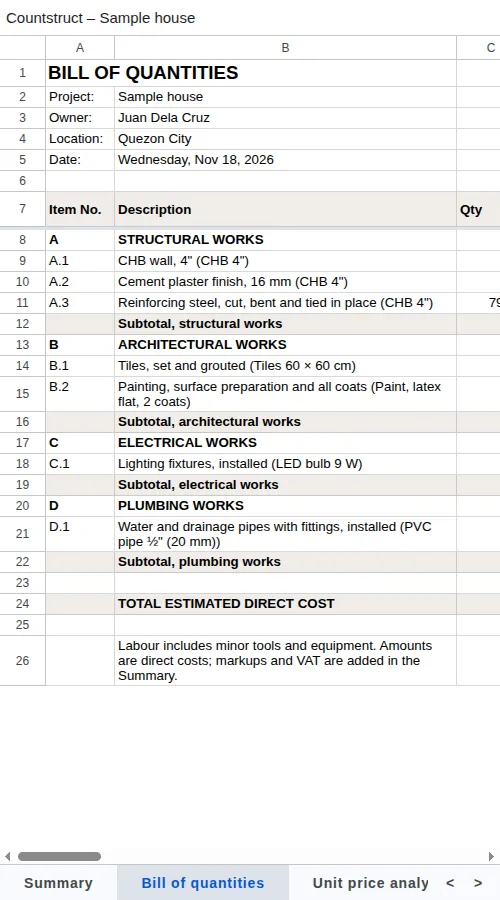
- Tap Excel or Save to Google Sheets
Next to Download PDF.
- Open it
Excel opens the .xlsx; Sheets opens in your Drive.
- Share and update
The Sheet keeps its link when you update it.
BoQ for bidders and quote comparison
Free
Send contractors or subcontractors a BoQ with the same items and quantities and the prices left blank, for the whole job or one trade. When their quotes come back, enter them and Countstruct compares each with your estimate, marks the lowest, and records the one you award. None of your own costs go into the bidders' copy. On Business, the bidders' BoQ also comes as Excel with the formulas filled in.
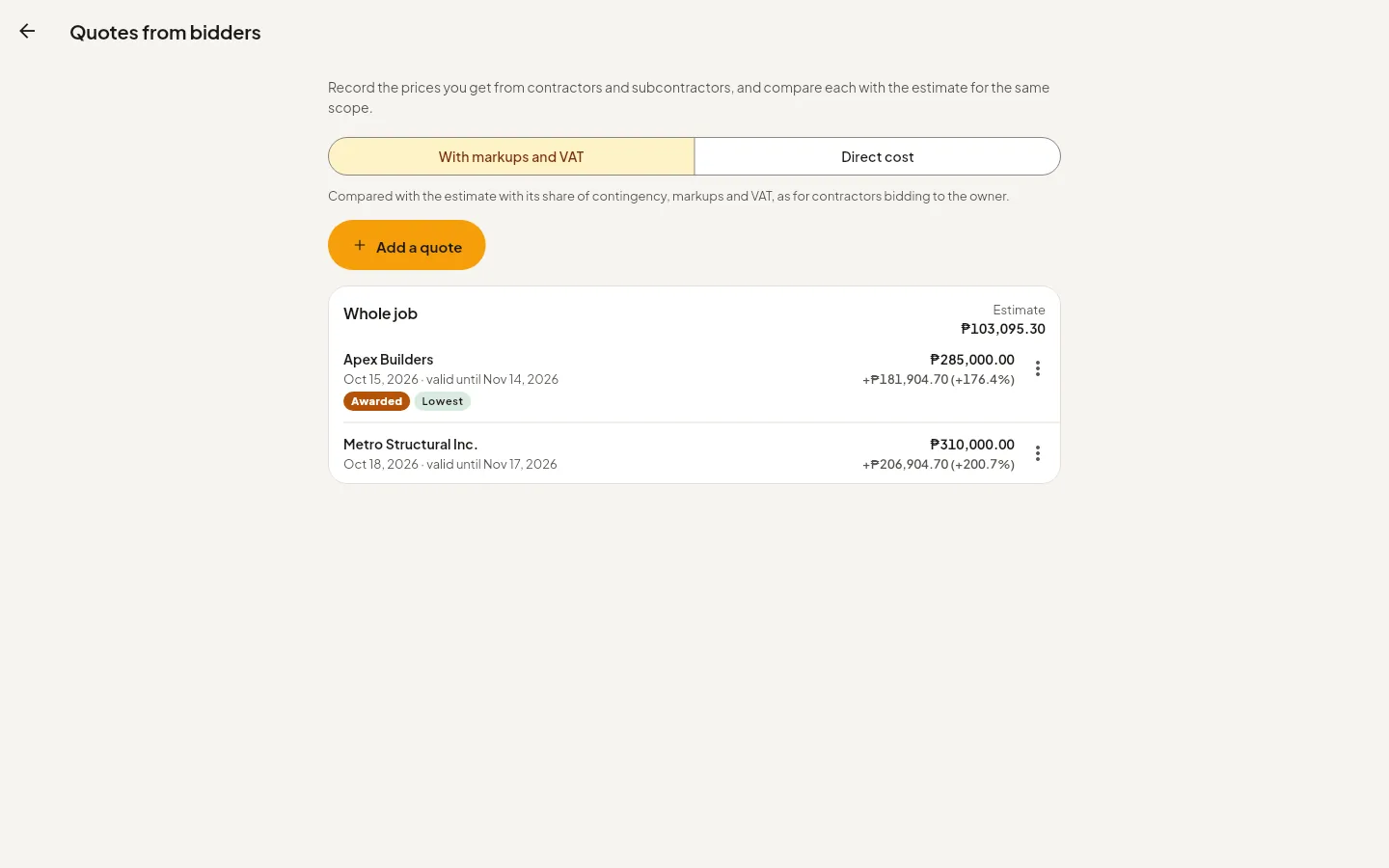
- Make the bidders' BoQ
PDF on Free, Excel on Business.
- Enter the quotes
One per bidder.
- Compare and award
Each quote beside your estimate.
Budget, contractor and DPWH pricing
Free Business
The Budget tab adds what the job costs on top of materials: labour and tools, hauling and delivery, and contingency. Pick Owner for a house owner hiring workers directly. On Business, Contractor and DPWH add crews and daily rates, general requirements, markups and VAT, as contractors and government estimates price a job.
Room schedule and quick budget
Free
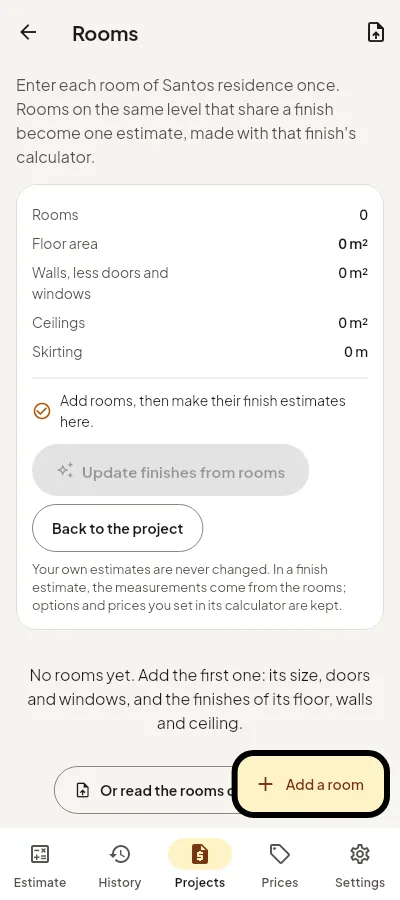
Enter each room once, with its size, doors and windows, and the finishes of its floor, walls and ceiling. Countstruct turns rooms that share a finish into one estimate. Not measured yet? The quick budget gives a first range in pesos from the floor area and finish.
And on Business
Business
- AI floor plan reader: upload a floor plan and AI reads the rooms, walls, doors and windows into an estimate for you to check.
- Quotation, schedule, cash flow, progress billing and actual costs for each project.
- Revisions: every version of an estimate kept.
- Your company name on every document.
- Unlimited projects.
Every plan also gets the 2026 Philippine price book adjusted by region, your own supplier prices, and works offline on your phone.
Free or Business
| Feature | Free | Business |
|---|---|---|
| 51 calculators, in English or Filipino | Yes | Yes |
| Projects and the bill of quantities by trade | A few projects | Unlimited |
| BoQ as PDF | Yes | Yes |
| Bill of materials (To buy) and copy as text | Yes | Yes |
| Room schedule, house checklist and quick budget | Yes | Yes |
| BoQ for bidders and quote comparison | PDF and Excel | |
| Excel, CSV and Google Sheets | — | Yes |
| Contractor and DPWH pricing | — | Yes |
| Quotation, schedule, cash flow, progress billing, actual costs | — | Yes |
| AI floor plan reader | — | Yes |
| Revisions and your company name on documents | — | Yes |
See the prices on the plans. Construction companies can share projects and one price book with Enterprise.
Make your first BoQ today
Open Countstruct, make an estimate, add it to a project, and download the bill of quantities. No install needed.
Open CountstructQuestions
Is Countstruct free?
Yes. The calculators, projects, the bill of quantities PDF, the To buy list, the room schedule, the quick budget, the bidders' BoQ as PDF and quote comparison are free. Business adds Excel and Google Sheets, contractor and DPWH pricing, the floor plan reader and more, with a free trial.
Can I download the BoQ in Excel?
Yes, on Business. The Excel file has four sheets: summary, bill of quantities, unit price analysis and materials. The PDF is free.
What is the difference between the BoQ and the bill of materials?
The bill of quantities lists the work by trade, with material and labour costs. The bill of materials (the To buy list) lists only the materials to buy, merged across the project.
Does it work on a phone?
Yes. Countstruct runs in the browser on a phone, tablet or laptop, and keeps working offline once opened.
Is it in Filipino?
Yes. Every calculator works in English or Filipino.