Bill of quantities in Google Sheets
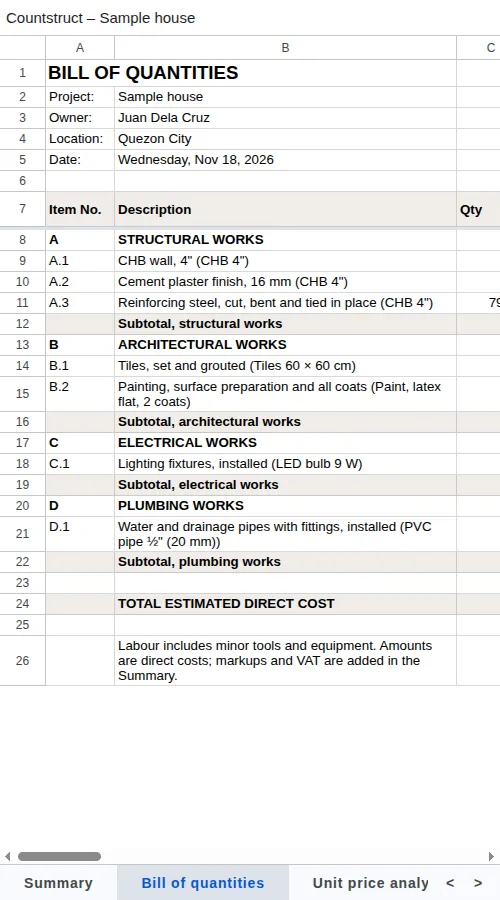
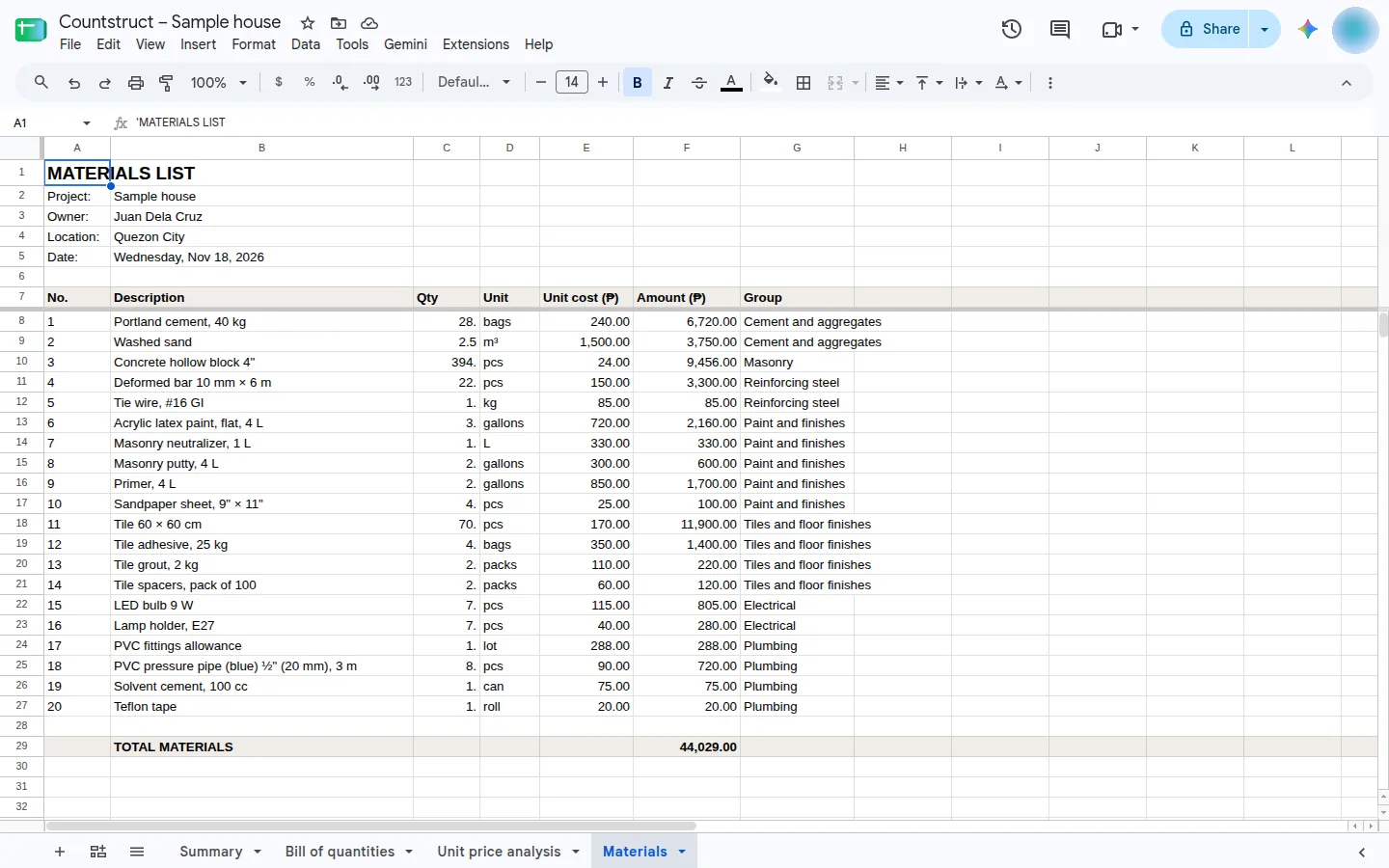
Countstruct saves a project as a Google Sheet in your own Drive, with four tabs: the summary of cost estimate, the bill of quantities by trade, the unit price analysis and the materials list. After you change the estimate, one tap updates the same spreadsheet, so anyone you shared it with sees the new figures.
Want the whole picture? See every Countstruct feature on one page.
Work it out for your own job
Make the estimate in Countstruct, then save the project to Google Sheets. Saving to Sheets comes with Business, which you can try free.
Open Countstruct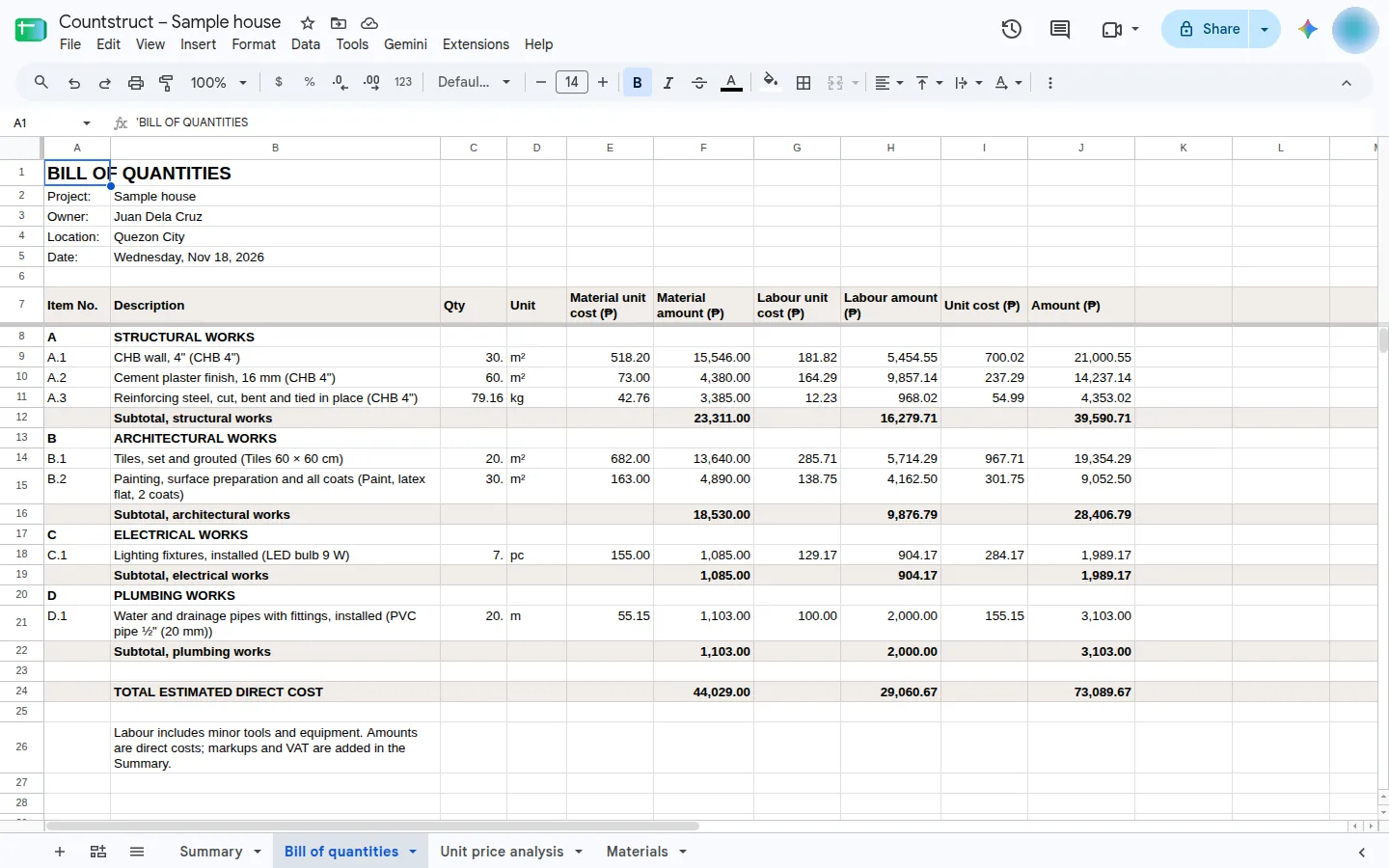
How it works
-
Sign in with Google
From a project's Save to Google Sheets button, or Settings → Sign in with Google. Google asks you to let Countstruct see, edit, create and delete only the Drive files you use with it.
-
Countstruct creates the spreadsheet
A spreadsheet named Countstruct – project name appears in your own Google Drive, with the same sheets as the Excel download: summary, bill of quantities, unit price analysis and materials.
-
Update it after every change
Update Google Sheet rewrites those sheets in the same spreadsheet, so the link you shared stays the same. Tabs you add yourself are left alone, and if the spreadsheet was deleted, a new one is made.
-
Share it like any Google Sheet
The spreadsheet is yours: share it with your client or team, comment on it, or download it from Google Sheets.
Your Drive stays private
Countstruct asks only for Google's drive.file permission, which reaches the files the app created and no others. There is no Countstruct server in between: your browser talks to Google directly. The app remembers only your Google account's name and email.
Back up everything to Drive
Settings → Backup and restore → Back up to Drive saves every project, custom price and history entry as Countstruct backup.json in your Drive. Restore from Drive reads it back on any device, adding the projects that are not already there. Turn on Back up automatically to save changes about 20 seconds after you stop editing.
Where the button is
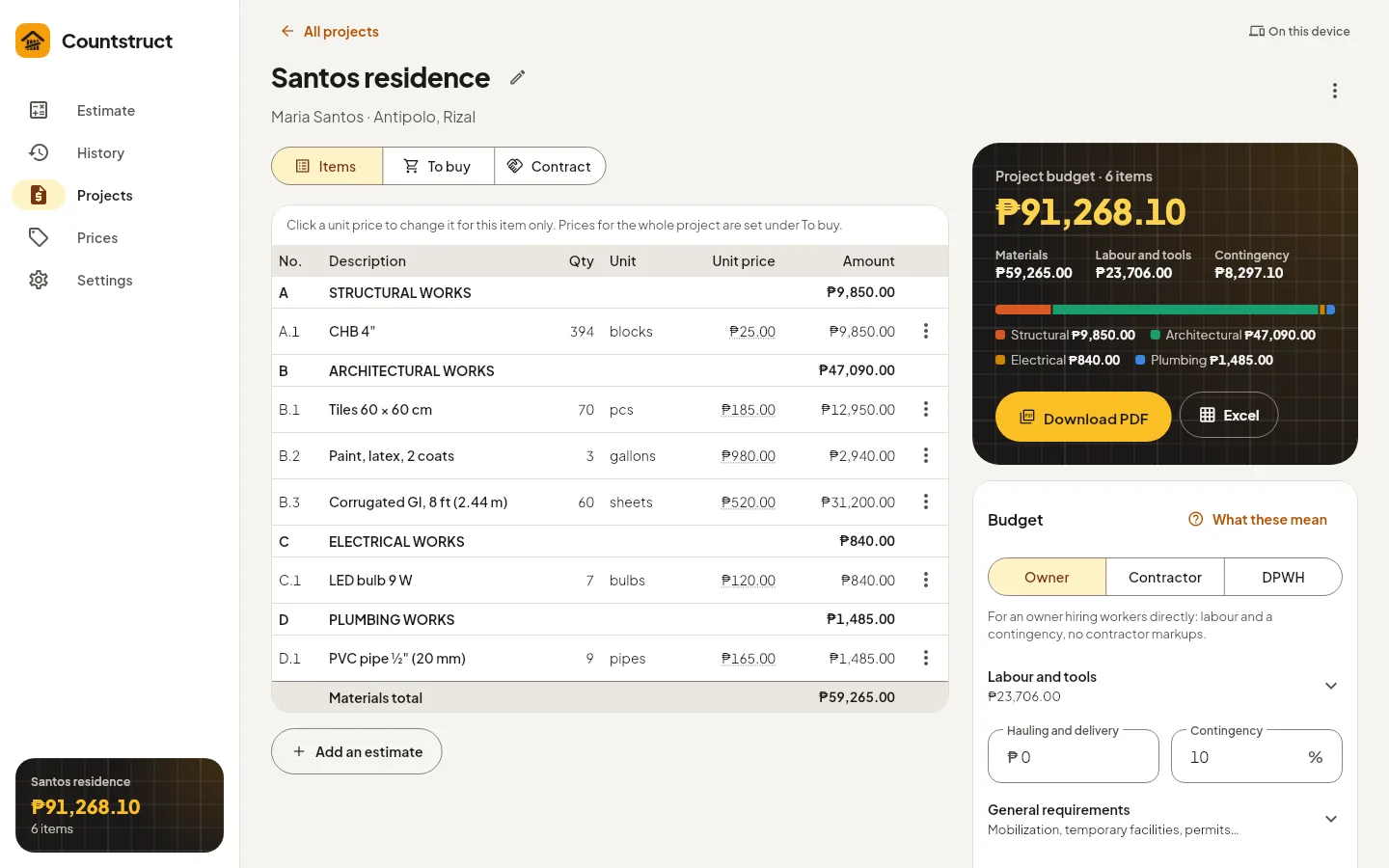
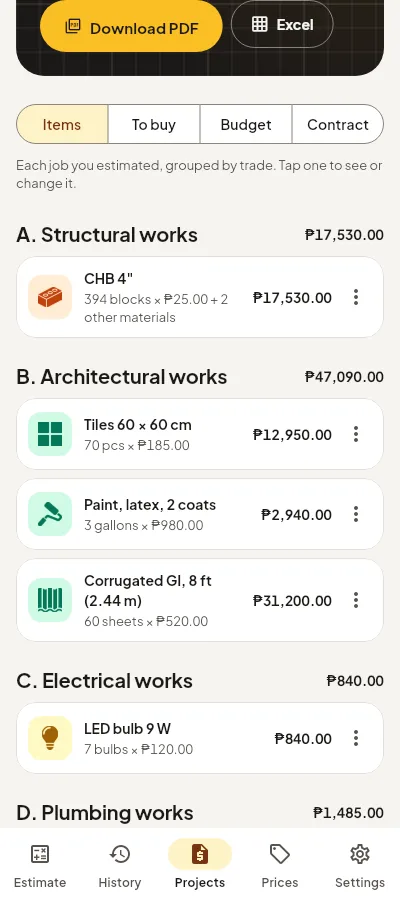
Business adds Save to Google Sheets to every project, next to Download PDF and Excel.
Which plan you need
| What you get | Free | Business |
|---|---|---|
| Bill of quantities PDF | Yes | Yes |
| Materials list (To buy) and copy as text | Yes | Yes |
| Bill of quantities for bidders, as PDF | Yes | Yes |
| Excel workbook (.xlsx) of the project | — | Yes |
| Bill of quantities for bidders, as Excel with formulas | — | Yes |
| Save to Google Sheets | — | Yes |
| Estimate revisions | — | Yes |
Read more about the BOQ format and the materials list.
What Countstruct adds
Estimate here, share in Sheets
- Formatted sheets for the summary, bill of quantities, unit price analysis and materials.
- The same spreadsheet updated each time, so shared links keep working.
- Backups of every project to Google Drive, restored on any device.
- The same content as the PDF and Excel downloads.
Questions
Can Countstruct see my other Google Drive files?
No. It uses Google's drive.file permission, which only reaches the files Countstruct created.
Does saving again make a new spreadsheet?
No. Update Google Sheet rewrites the Countstruct tabs in the same spreadsheet. Tabs you added are left alone.
Do I need Business?
Yes. Saving to Google Sheets and the Excel download come with Business. The bill of quantities PDF is free.
Can I use the Sheet on my phone?
Yes. It is an ordinary Google Sheet, so it opens in the Google Sheets app.